Kodi is one of the most popular media players available today, widely used for streaming IPTV, OTT content, music, movies, and more through add-ons. What makes Kodi stand out is its flexibility, powerful features, and simple user interface—advantages that many other IPTV applications lack. This is why Kodi has gained massive popularity among IPTV and streaming enthusiasts.
The Kodi media player is compatible with almost every major platform, including Windows, macOS, Android, iOS, and Linux, making it an ideal all-in-one streaming solution.
In this guide, you’ll learn how to install the Samsung TV Plus add-on on Kodi and enjoy a wide selection of free IPTV channels legally and hassle-free.
What Is the Samsung TV Plus Add-on?
Kodi itself does not host or provide any media content due to legal restrictions. Instead, it allows users to stream content using official and third-party add-ons.
Samsung TV Plus is a popular Kodi video add-on that gives users access to free, ad-supported IPTV channels. With this add-on, users can watch live TV without subscribing to a paid IPTV service.
The Samsung TV Plus add-on offers access to 1800+ free channels from various countries, including:
- United States
- United Kingdom
- Germany
- France
- Italy
- Spain
- India
- South Korea
- Canada
- Switzerland
- Austria
The content includes live news, entertainment, sports, movies, TV shows, documentaries, lifestyle programs, and more.
Key Features of Samsung TV Plus on Kodi
- Access to over 1800 free IPTV channels
- No subscription required
- Covers multiple countries and languages
- Easy-to-use interface
- Works smoothly with the latest Kodi versions
- Legal, ad-supported streaming model
Requirements Before Installation
Before installing the Samsung TV Plus add-on on Kodi, make sure you meet the following requirements:
1. Latest Version of Kodi
Using the most recent Kodi version ensures better performance, compatibility, and security.
2. VPN (Recommended)
Although Samsung TV Plus is legal, using a VPN can help:
- Protect your privacy
- Bypass regional restrictions
- Prevent ISP throttling
3. Enable Third-Party Add-ons
Since the add-on is hosted in a third-party repository, you’ll need to allow installations from unknown sources.
How to Enable Unknown Sources on Kodi
Follow these steps to enable unknown sources:
- Open Kodi
- Click on the Settings (gear icon)
- Go to System
- Select Add-ons
- Enable Unknown Sources
- When prompted, click Yes to confirm
How to Install Samsung TV Plus Add-on on Kodi
Installing the Samsung TV Plus add-on is straightforward. Just follow the steps below carefully.
Step 1: Download the Repository
Download the Slyguy repository ZIP file from its official source.
Step 2: Install the Repository
- Open Kodi
- Go to Settings → Add-ons
- Click Install from zip file
- Locate and select repository.slyguy.zip
- Wait for the confirmation message
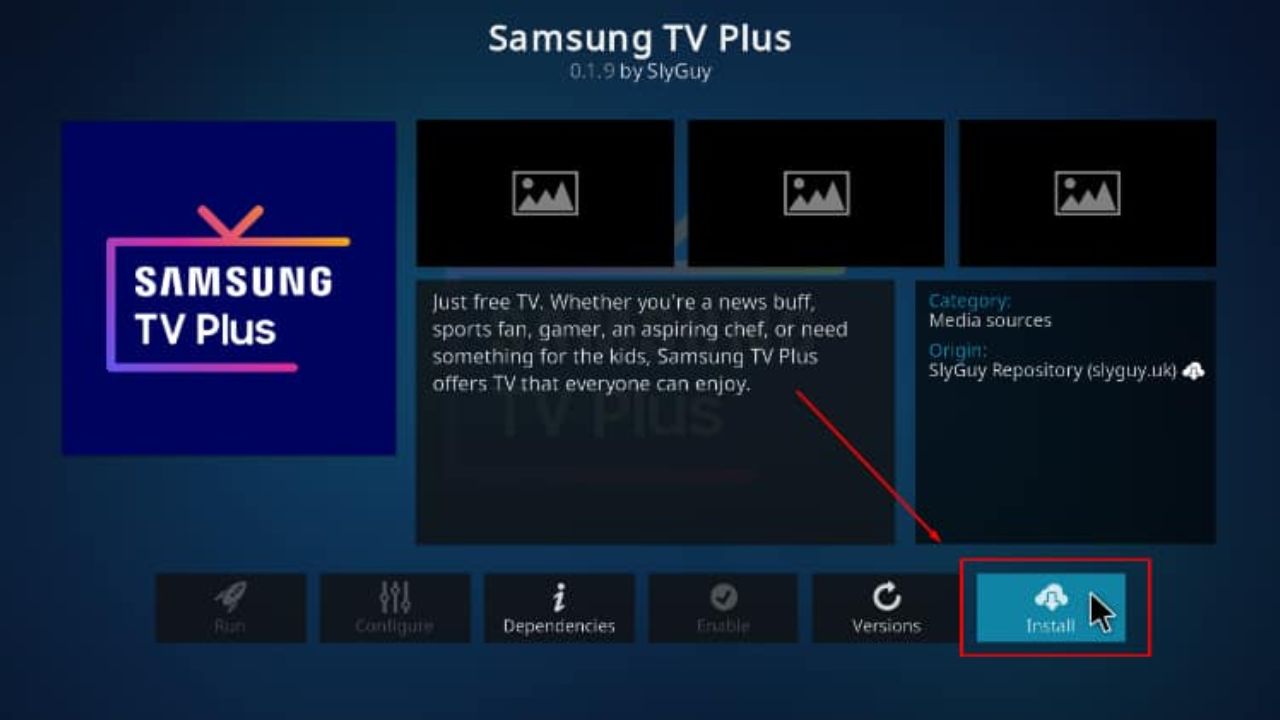
Step 3: Install Samsung TV Plus Add-on
- Go to Install from repository
- Select Slyguy Repository
- Navigate to Video add-ons
- Find Samsung TV Plus
- Click Install
- Wait for the add-on installation confirmation
Step 4: Start Watching
Once installed:
- Click Open
- Browse the channel list
- Enjoy 1800+ free live IPTV channels
If you face any difficulty during setup, visual tutorials or screenshots can make the process easier to follow.
Conclusion
The Samsung TV Plus add-on for Kodi is an excellent choice for users who want access to a large variety of free live TV channels without dealing with subscriptions or complex setups.
With 1800+ channels, wide international coverage, and compatibility with modern Kodi versions, this add-on delivers a smooth and legal streaming experience. Whether you enjoy live news, sports, entertainment, movies, or specialty content, Samsung TV Plus expands Kodi’s capabilities significantly.
For Kodi users looking to enhance their streaming options with minimal effort, Samsung TV Plus is a must-try add-on.