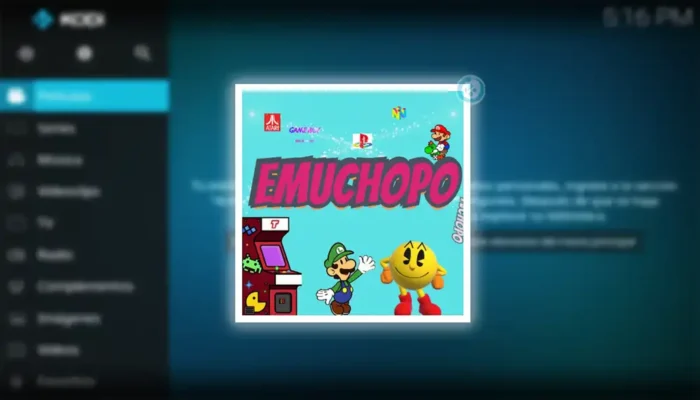
How to Install the Emuchopo Addon on Kodi [Video Games]
If you’re a fan of retro gaming and want to expand your Kodi library with classic video games, the Emuchopo addon is a fantastic choice. This addon provides access to a wide range of emulators and ROMs, allowing you to relive the golden age of gaming right from your Kodi interface. In this guide, we’ll walk you through the process of installing the Emuchopo addon on Kodi, ensuring you can start playing your favorite retro titles in no time.
What is the Emuchopo Addon?
The Emuchopo addon is a popular Kodi extension designed specifically for gaming enthusiasts. It offers a curated collection of emulators and ROMs for various classic gaming consoles, including NES, SNES, Sega Genesis, PlayStation, and more. With Emuchopo, you can easily organize and access your retro game library directly within Kodi, making it a convenient all-in-one solution for gaming on your media center.
Why Use Emuchopo for Gaming on Kodi?
Kodi is primarily known as a media streaming platform, but with addons like Emuchopo, it transforms into a versatile entertainment hub. Here’s why Emuchopo stands out:
- Wide Console Support: Emuchopo supports a vast array of gaming systems, from 8-bit classics to 32-bit consoles.
- User-Friendly Interface: The addon integrates seamlessly with Kodi’s interface, making it easy to navigate and manage your game library.
- Regular Updates: The addon is frequently updated with new emulators and ROMs, ensuring you always have access to the latest content.
- Community-Driven: Emuchopo is maintained by a dedicated community of retro gaming enthusiasts, ensuring high-quality content and support.
How to Install the Emuchopo Addon on Kodi
Installing the Emuchopo addon is a straightforward process, but it requires enabling installations from unknown sources in Kodi. Follow these steps carefully:
Step 1: Enable Unknown Sources
- Open Kodi and click on the Settings icon (gear icon) in the top-left corner.
- Navigate to System > Add-ons.
- Toggle on Unknown Sources and confirm the warning message.
Step 2: Add the Emuchopo Repository
- Go back to the Settings menu and select File Manager.
- Click on Add Source and then .
- Enter the following URL:
https://fuente-chopo.github.io/(or the latest repository URL). - Name the source (e.g., “Emuchopo”) and click OK.
Step 3: Install the Emuchopo Addon
- Return to the Settings menu and select Add-ons.
- Click on Install from zip file.
- Select the source you added earlier (e.g., “Emuchopo”).
- Choose the repository file (e.g.,
repository.emuchopo.zip). - Wait for the notification confirming the repository installation.
- Go back to Install from repository and select Emuchopo Repository.
- Navigate to Video add-ons and find Emuchopo.
- Click Install and wait for the addon to be installed.
Step 4: Configure Emuchopo
- Once installed, open the Emuchopo addon from the Add-ons menu.
- Follow the on-screen instructions to configure the addon, including setting up your ROM directories and emulator preferences.
- You can now browse and play your favorite retro games directly within Kodi.
Troubleshooting Common Issues
While installing Emuchopo is generally smooth, you might encounter a few hiccups. Here are some common issues and their solutions:
- Addon Not Installing: Ensure that unknown sources are enabled and that you’ve entered the correct repository URL.
- ROMs Not Loading: Verify that your ROM files are in the correct format and located in the specified directory.
- Performance Issues: Close unnecessary background applications and ensure your device meets the minimum requirements for running emulators.
Legal Considerations
It’s important to note that while emulators themselves are legal, downloading ROMs for games you don’t own may infringe on copyright laws. Always ensure you’re using Emuchopo responsibly and within the bounds of your local laws.
Conclusion
The Emuchopo addon is a must-have for retro gaming enthusiasts looking to enhance their Kodi experience. With its extensive library of emulators and ROMs, user-friendly interface, and regular updates, it’s the perfect tool for reliving the nostalgia of classic gaming. By following the steps outlined in this guide, you’ll have Emuchopo up and running in no time, ready to transport you back to the golden age of video games.
So, what are you waiting for? Dive into the world of retro gaming with Emuchopo and rediscover the joy of classic consoles right from your Kodi setup!
![How to Install Estuary Sparta Build on Kodi [Spanish]](https://stbemuiptvcodes.com/wp-content/uploads/2026/02/how-to-install-estuary-sparta-build-on-kodi-spanish-700x400.webp)